Web GUI
Download the Web GUI binaries for your OS from the Releases page. After extracting the Web GUI release the Linux binary should have the executable bit already set.
Run Web GUI as CLI
The GUI is a single self-contained file that also includes the whole CLI.
./mhub-gui database init    # Once only: create a database
./mhub-gui database version # Shows information about the database
./mhub-gui monitor show     # Shows a list of monitors
./mhub-gui profile show     # Shows a list of profiles
Data lives beside the binary
The first run creates conf/, data/ and logs/ next to the executable.
Run the binary from a directory you can write to (for example
/opt/monitorhub), and keep those folders when you upgrade.
Run Web GUI in browser
./mhub-gui  # opens http://127.0.0.1:8501
./mhub-gui --server.port 9000   # opens http://127.0.0.1:9000
First time download
If this is the first time you download the Web GUI then you need to initialize the database, once only !
./mhub-gui database init # Create database in default location:./data folder
./mhub-gui -d /path/to/database database init # Create database in location:/path/to/database folder
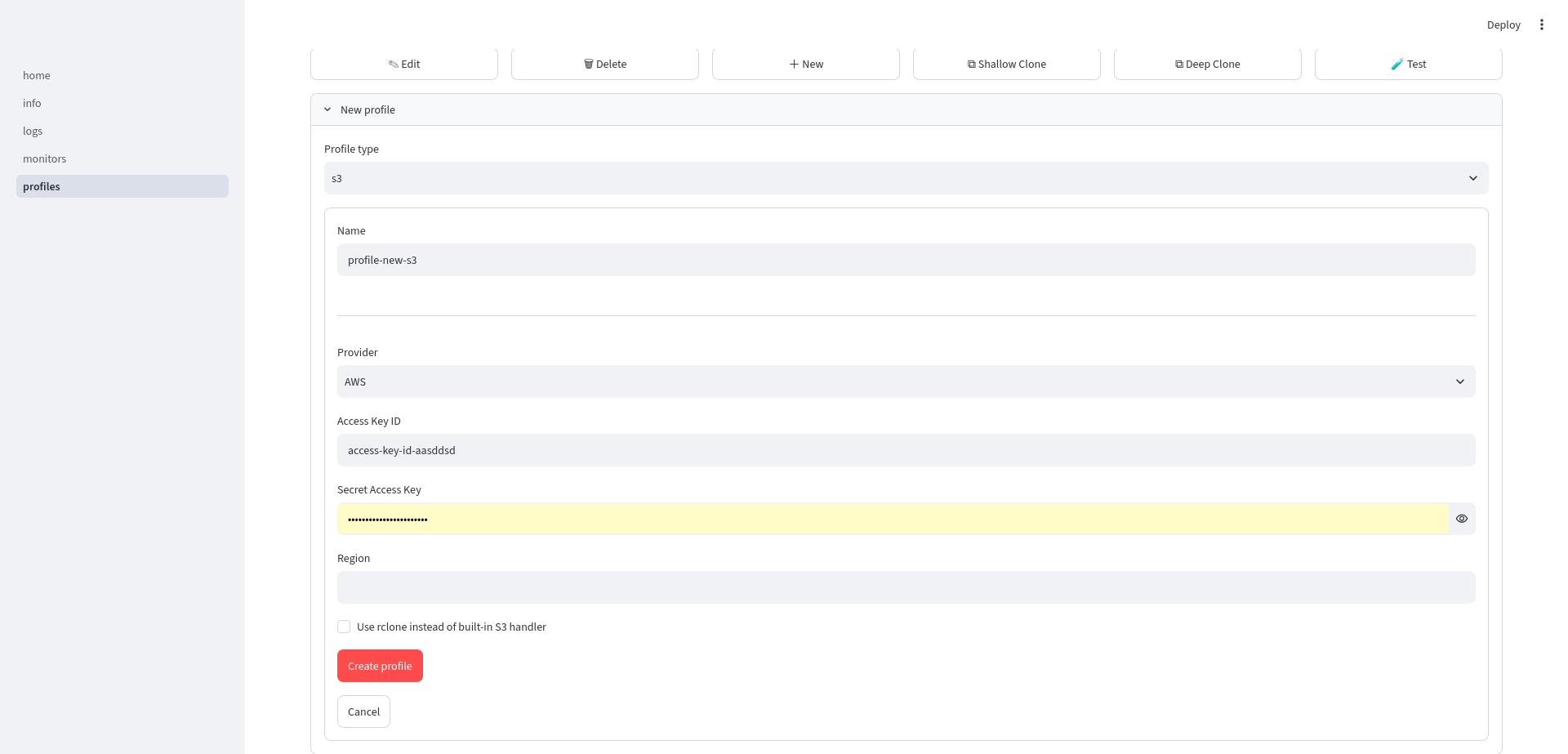
Create a new profile
A profile stores the configuration of a remote storage provider or a command. There needs to be at least 1 profile present to link to a monitor.
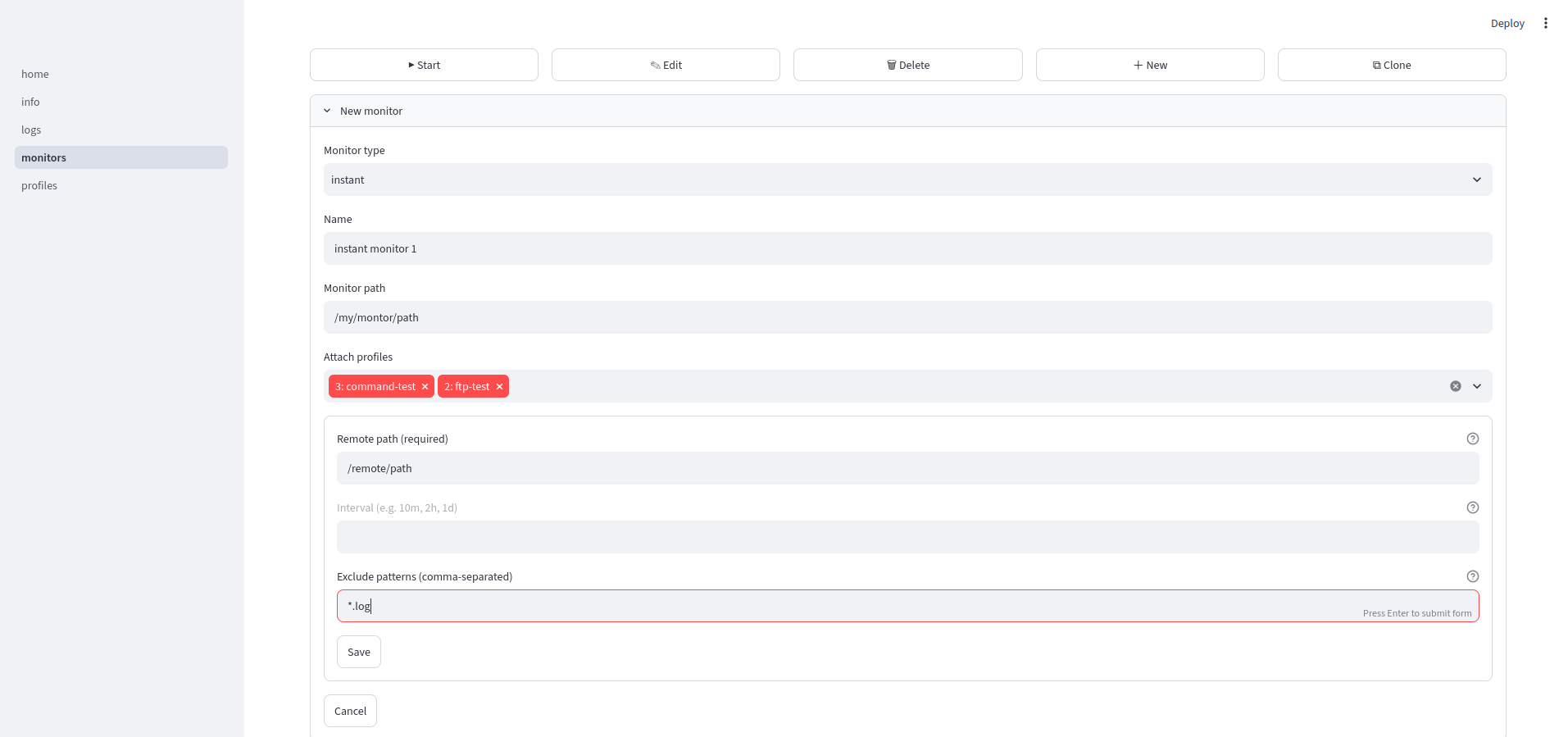
Create a new monitor
A monitor maps a monitor path to a remote path. Next the monitor is linked to one or more profiles. Whenever an event is triggered (file event or timer event) the monitor will trigger a handler for each linked profile. That way to can propagate files to one or more remote storage providers or run one or more commands. For example when a hacker changes a honeypot file it may trigger closing all incoming firewall ports from the internet and send an alarm to an administrator.
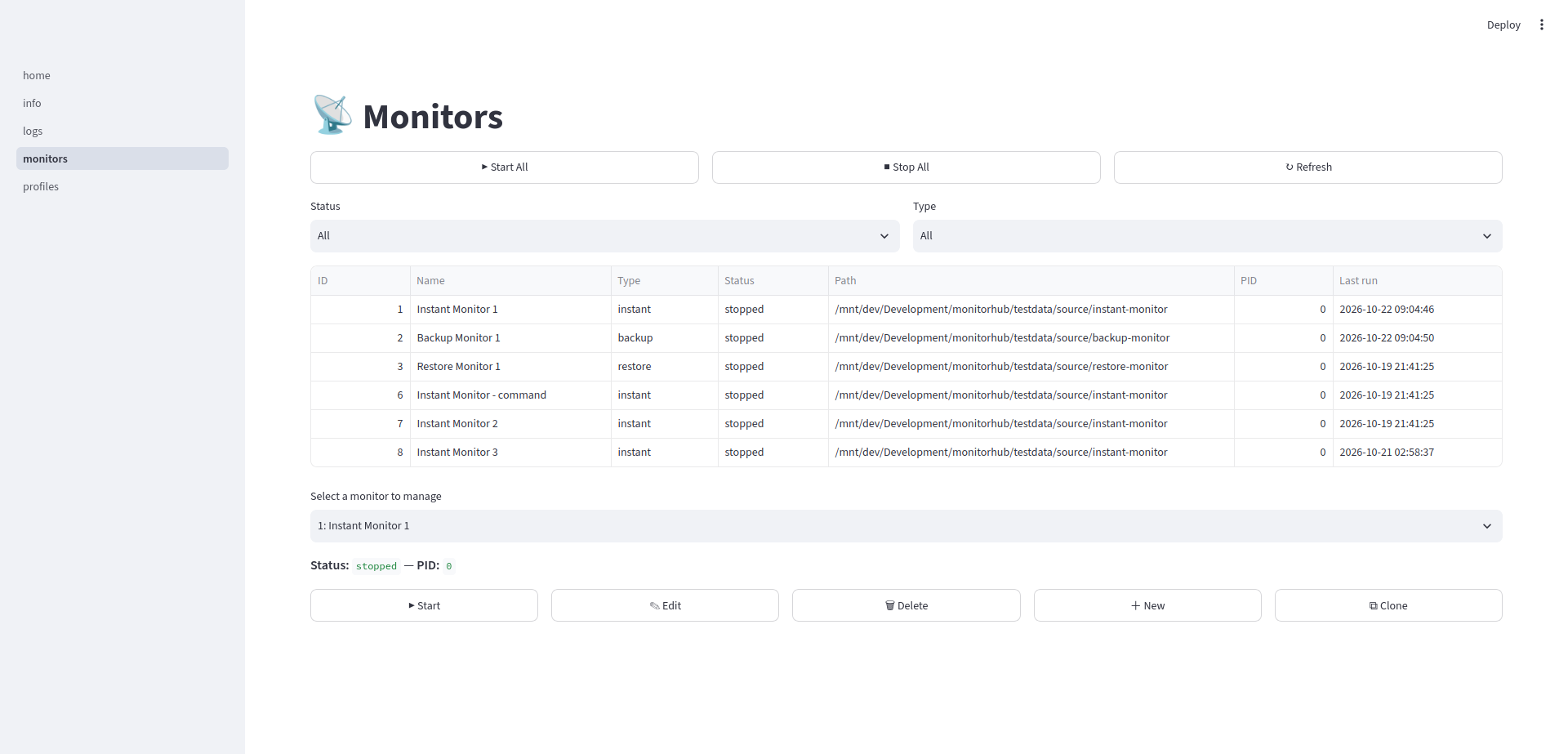
List all monitors
The monitor page will show a list of all monitors.
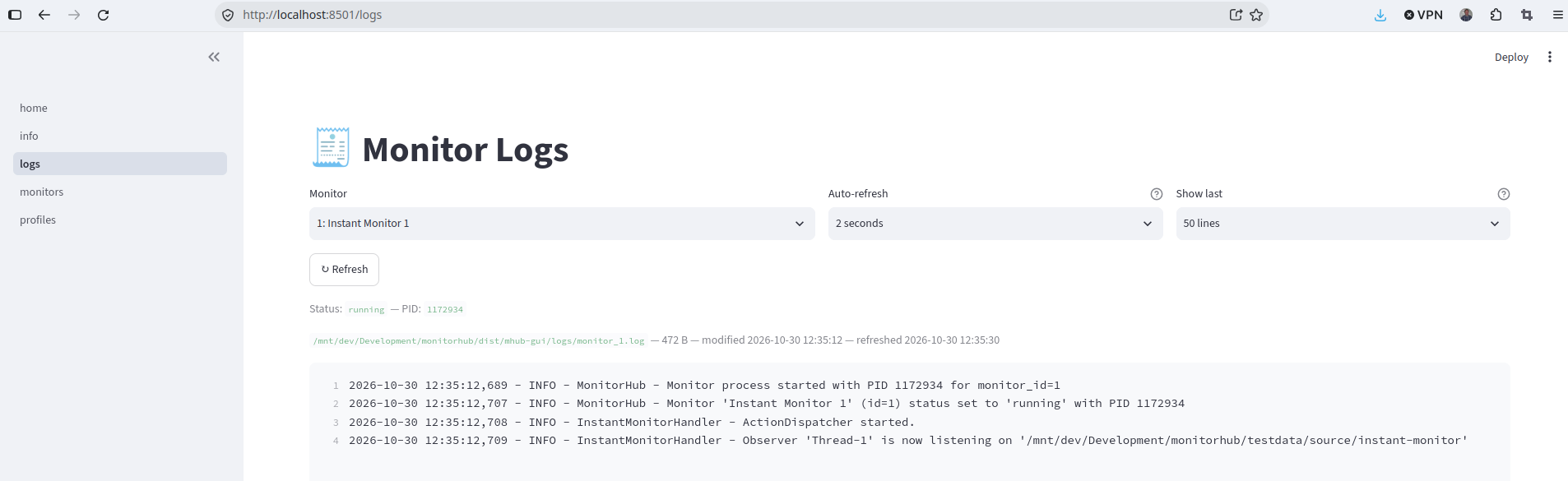
Monitor log
When you start a monitor it will create a log specifically for that running monitor.